
Sanguine Menus: online ordering from your own website
Customers place orders through a web-link on your website. Each order lands in Sanguine POS as a notification, and KOTs and bills are generated automatically.
Good food, ordered your way
Dine in or take away. Order from our menu in a few taps.
Order online →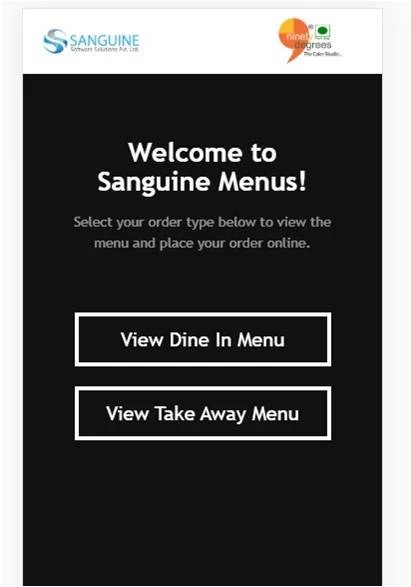
From your website to the kitchen in four steps
Add the web-link to your website
Sanguine Menus integrates with your website through a simple ordering link.
Customers place the order
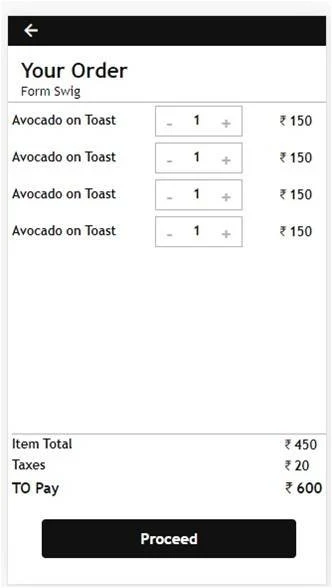
They choose the dine-in or takeaway menu, add items and proceed.
You get a notification in Sanguine POS
Every new order shows up in your POS straight away.
KOT and bill, automatically
Generate the KOT and bill from the POS, with no re-typing.
Simple screens your guests understand instantly
Your website becomes an ordering counter
Works with your website
Guests order from the site they already visit, through your Sanguine Menus link.
Instant POS notifications
Every order arrives in Sanguine POS the moment it is placed.
Automatic KOTs and bills
No re-typing orders. The KOT and bill come straight from the POS.
Sanguine Menus: frequently asked questions
What is Sanguine Menus?
Sanguine Menus is an online food ordering system from Sanguine. Customers place orders through a web-link on your restaurant's website, and the orders come into Sanguine POS.
How do orders from Sanguine Menus reach my restaurant?
Each time an order is placed, you receive a notification in Sanguine POS, from where KOTs and bills are generated automatically.
Does Sanguine Menus work with my existing website?
Yes. Sanguine Menus integrates with your website through a web-link that customers use to place orders.
Can guests order for dine-in and takeaway?
Yes. The Sanguine Menus welcome screen lets guests choose between the dine-in menu and the takeaway menu.
Start taking orders from your own website
Free demo and pricing for your outlet, in India or abroad.
Get a free demo & pricing
Tell us about your business and our team will call you back.
Sales: +91 98508 73037sachin@sanguinesoftwares.com